The idea:
1) First of all, I think all tools should have their properties visible and configurable under Tool Properties tab, so that we can adjust the tool’s behaviour.
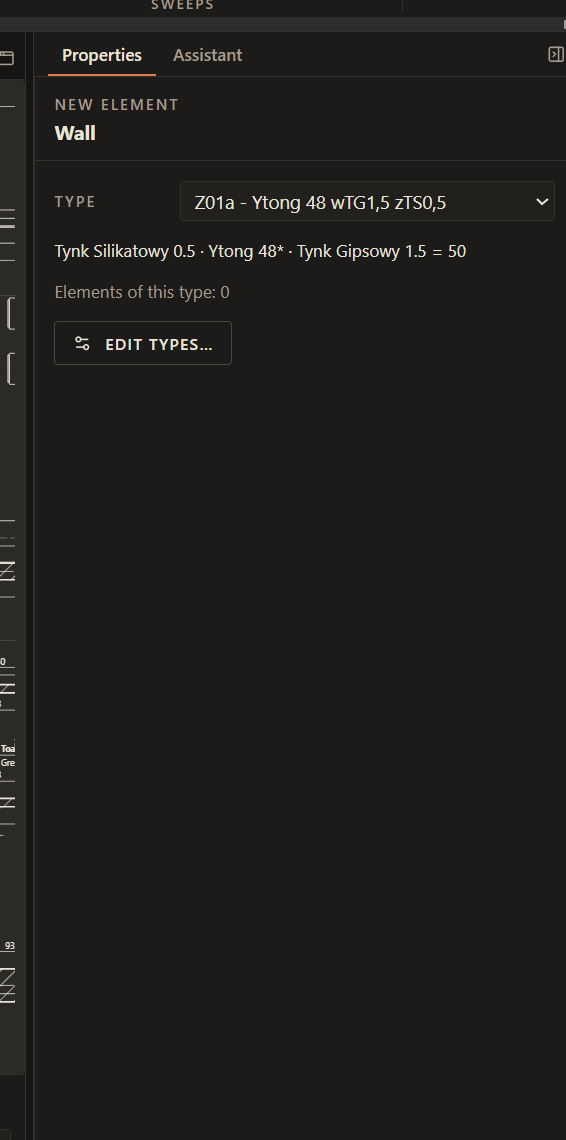
**Here, add another tab “Tool Properties” and when we choose a tool it opens automatically and returns to previous tab selected after we finish using the tool. There, under that tab any settings of the tool would be located.
- for Wall tool, add the following, selectable behaviours:**
- Select wall type (what we can do now)
- Draw wall with line (the current behaviour)
- single line
- polygon
- spline
- arc
- +additional settings for how the arc will be drawn, similar to Autocad
- Draw wall with shape
- rectangle
- circle
- +additional settings for how the circle will be drawn, similar to Autocad
- elypsis
- +additional settings for how the elypsis will be drawn, similar to Autocad
- Select a line (can select a single line of a shape too)
- after selecting:
- keep the line/shape
- remove it
- hide it
- select mode
- single line (select one, draw the wall where the line is)
- two lines (select two, draw the wall in the middle between these two lines, very useful when you have a pdf/dwg underlay)
- after selecting:
- Select a shape (whole shape)
- after selecting:
- keep the shape
- remove it
- hide it
- after selecting:
After this everyone could request for more tool functions, that’d be amazing.
How it would help my work: Tool versatility