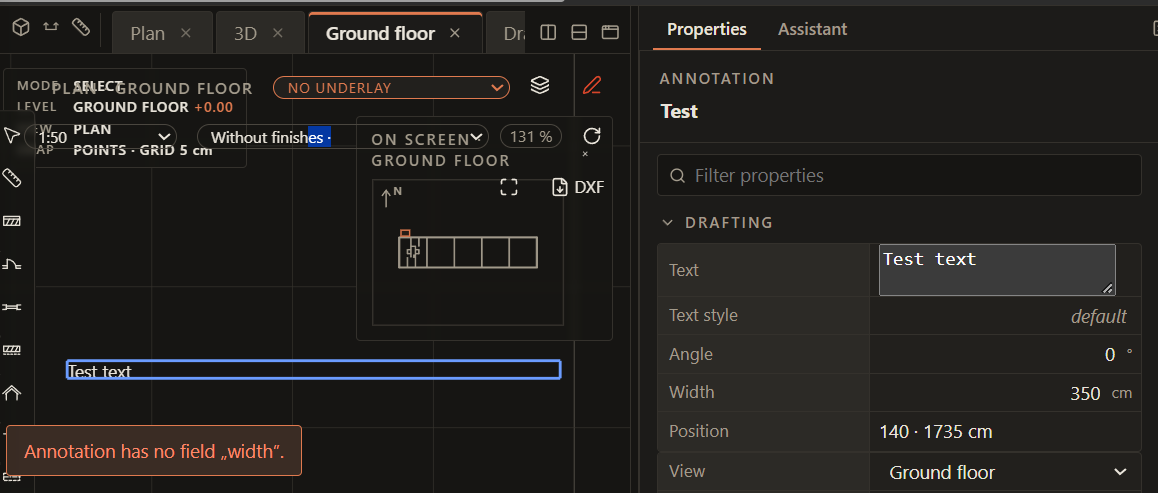
What happened: Pretty much most of text properties are bugged or missing. We can’t change the style, alignment, the program throws out a bug when we try to change the width. I’ll merge this bug post with an idea one, I hope you don’t mind.
What I expected/suggested ideas: I think the text tool to make it most useful should consist of:
- Bounding box of the text, with position data about its corners and the middle point. It should be the same bounding box we draw when using the tool. If we instead of dragging just press with LMB, it should place the center point of the text instead and automatically set its position as middle, centered. We should be able to also edit the bounding box the same way we can edit a rectangle shape. We should be able to also target and thanks to that grab the center point and move the text by dragging it.
The bounding box we should be allowed to be toggled on and off if we don’t need it, but the middle point should always be on, as it’s useful to grab and put the center of our text in the desired position.
-
Embedded style editor. Being able to edit the text style directly in the Text Edit UI/Properties will be very handy.
-
Add Properties of the text like:
-
Text position (Top [left/center/right], Middle [left/center/right], Bottom [left/center/right]
-
Annonative text property setting
-
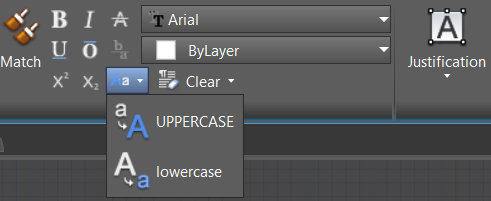
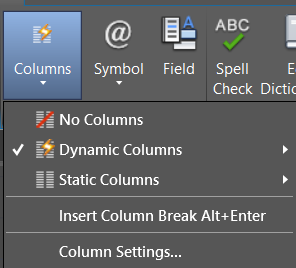
Text formatting with buttons with icons: underline, overline, strikethrough, subscript, superscript, stack (diagonal), common fractions, UPPERCASE, lowercase, Fist Letters Uppercase, Remove character/paragraph/all formatting
-
Text lists (numbered, pointed)
-
Mirror text horizontally/vertically checkmark options
-
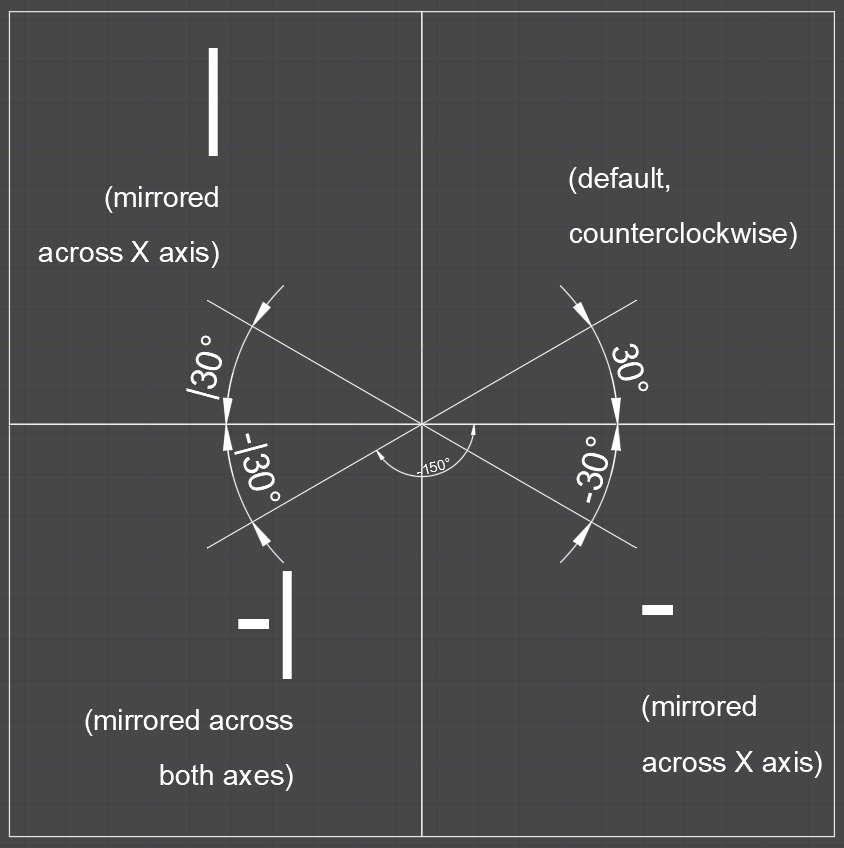
Rotation (already there), but I think it could be cool to add an ability to move the point of rotation and insert degrees different types of data and a Function, a normal number reads as degrees, if you add % it reads as %sloping, rad for radians, grad for grads, 1:200 for proportions sloping (pretty much a % sloping, but you don’t have to calculate the value yourself, you just write the proportions).
Ability to set the direction of point of origin and the way the rotation is counted, to make it easier for humans to use, so for example we can either type 30 to get a 30 degree rotation counterclockwise, -30 to get 30 degrees clockwise, same result as typing in 330, and also accept mirroring across Y axis, so for example |30 to get 30 degrees mirrored across X, -|30 to get mirrored across both axes. Image below:
I suggested counterclockwise being the default behaviour because that’s pretty much how it works in math, the quadrants
-
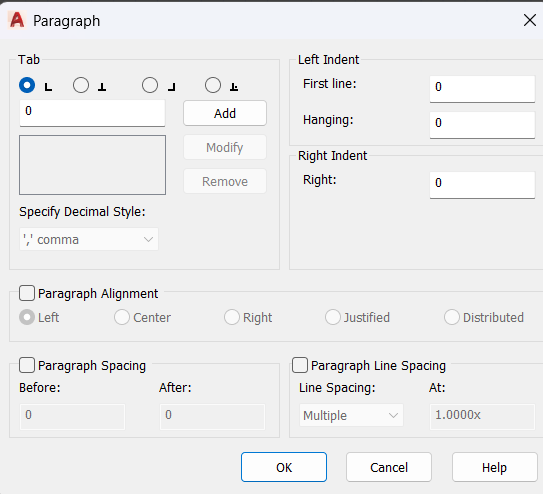
Paragraph settings so Tab stops settings and a ruler, line spacing, etc. similar to Autocad
-
Ability to add columns (not the highest priority, but if we want Lapin to be the best program out there, then why not?)
-
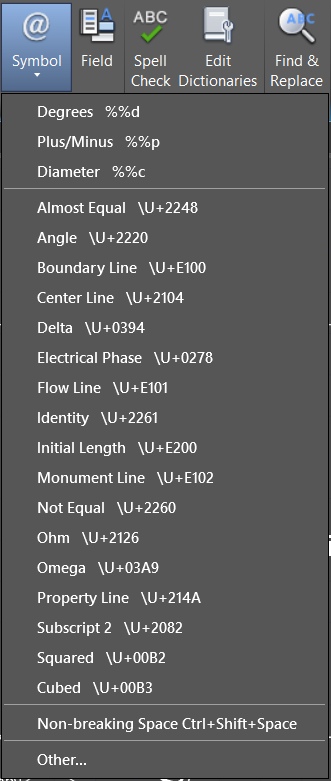
Symbols library, so we don’t have to copypaste them into text from elsewhere
-
Parameters Inspector Field, that lets us select any other object in view, check for its parameters and choose one. It will automatically insert the selected parameter and the GlobalID of the object or whatever Lapin uses to point towards object of interest into the text, so we don’t have to remember/copy&paste everything ourselves.
-
Bounding Box margins (top, bottom, left, right)
-
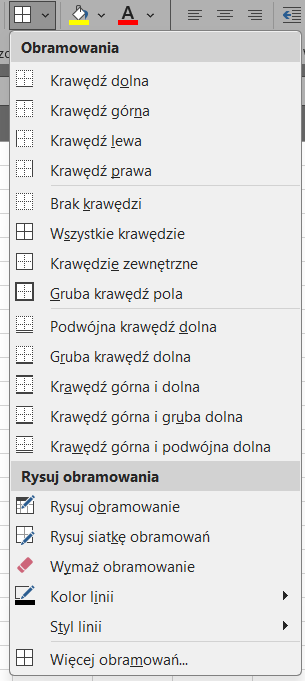
Bounding Box borders (with an ability to change its color, opacity, thickness, linetype, for each side separately, like for the tab cells in Word/Excel) I think expandable buttons like in Word/Excel are quite a good layout, maybe just yoink these?
-
Bounding Box background color or hatch pattern with opacity setting, perhaps gradients
-
Ability to set a stroke/text outline, (Also in Text Drafting Standards so we can use this in other parts of the program. In general the more suggestions of these you can also fit into the Text Standards, the better, as we’ll be able to use them everywhere then), with a colour, opacity and an ability for the stroke to act as a mask, that will make all other lines around text invisible. This would be a HUGE upgrade towards the visibility of any text in the project.

Okay, that turned out to be quite a wall of text. Apologies if these suggestions are out of scope.
Steps to reproduce:
- Just use the text tool
Lapin version and system: Lapin 0.1.1355 PC, Windows
Screenshot or file: