Forum post (English):
Hi everyone,
I’d like some help understanding how layers and pens work for drafting objects (lines, rectangles, etc.).
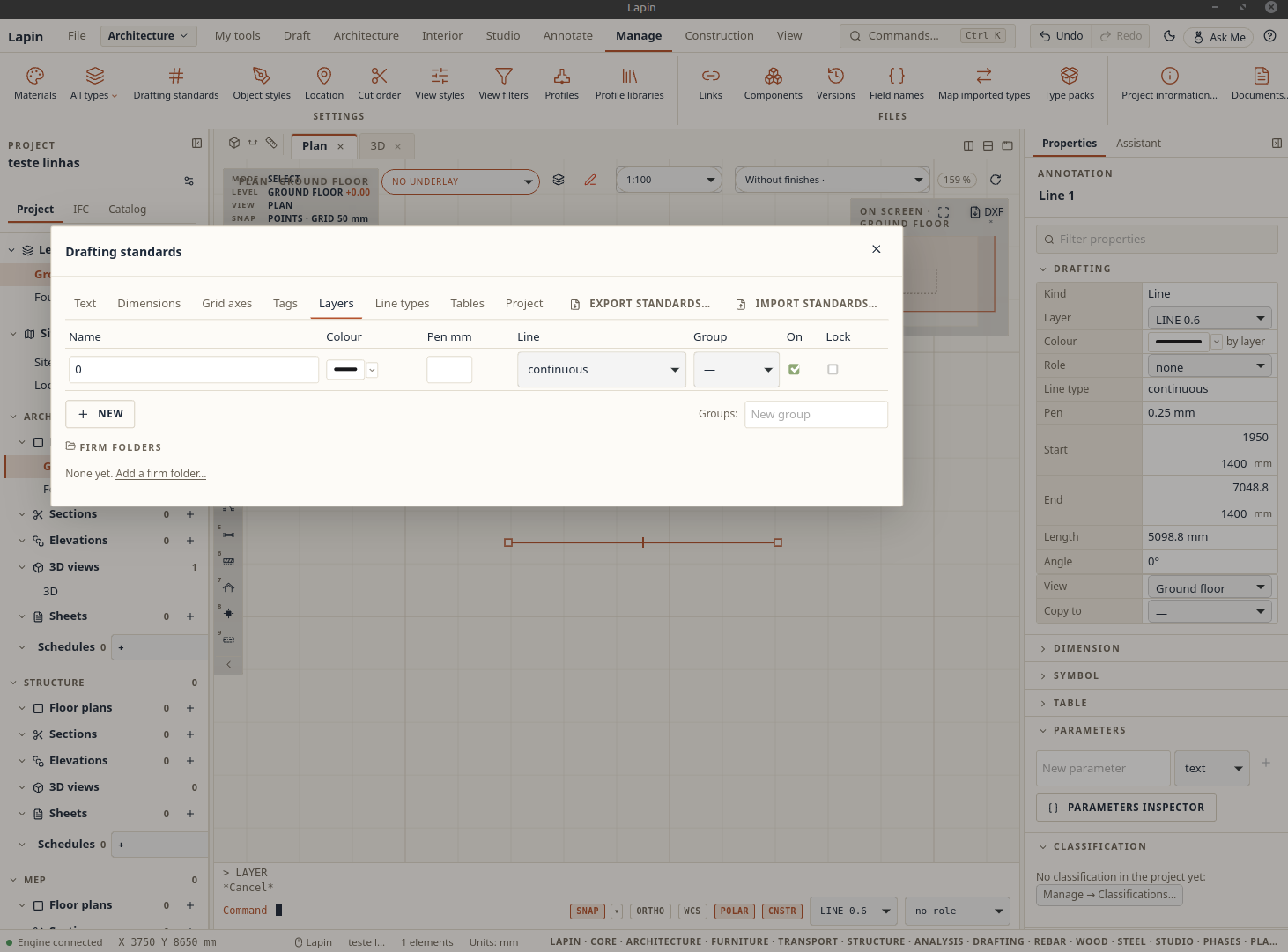
I created a layer using the command line with layer, naming it LINE 0.6.
In the Properties panel the layer shows up correctly, but in Drafting standards (where I expected to be able to set the pen and colour for these drafts) the layer doesn’t appear at all.
I’m not sure how to properly create 2D elements (lines and others) and configure their pen, layer and line type.
Any guidance would be appreciated.
Thanks, and I’m continuing to test Lapin!