The idea: I love the idea of quickly applying premade finishes to whole rooms. But I think being able to enter a “Finish Editor”, to manually edit and override finishes would bring this functionality to another level.
Just like we enter an “Editing System” when designing drainage, the same should be possible with Finishes.
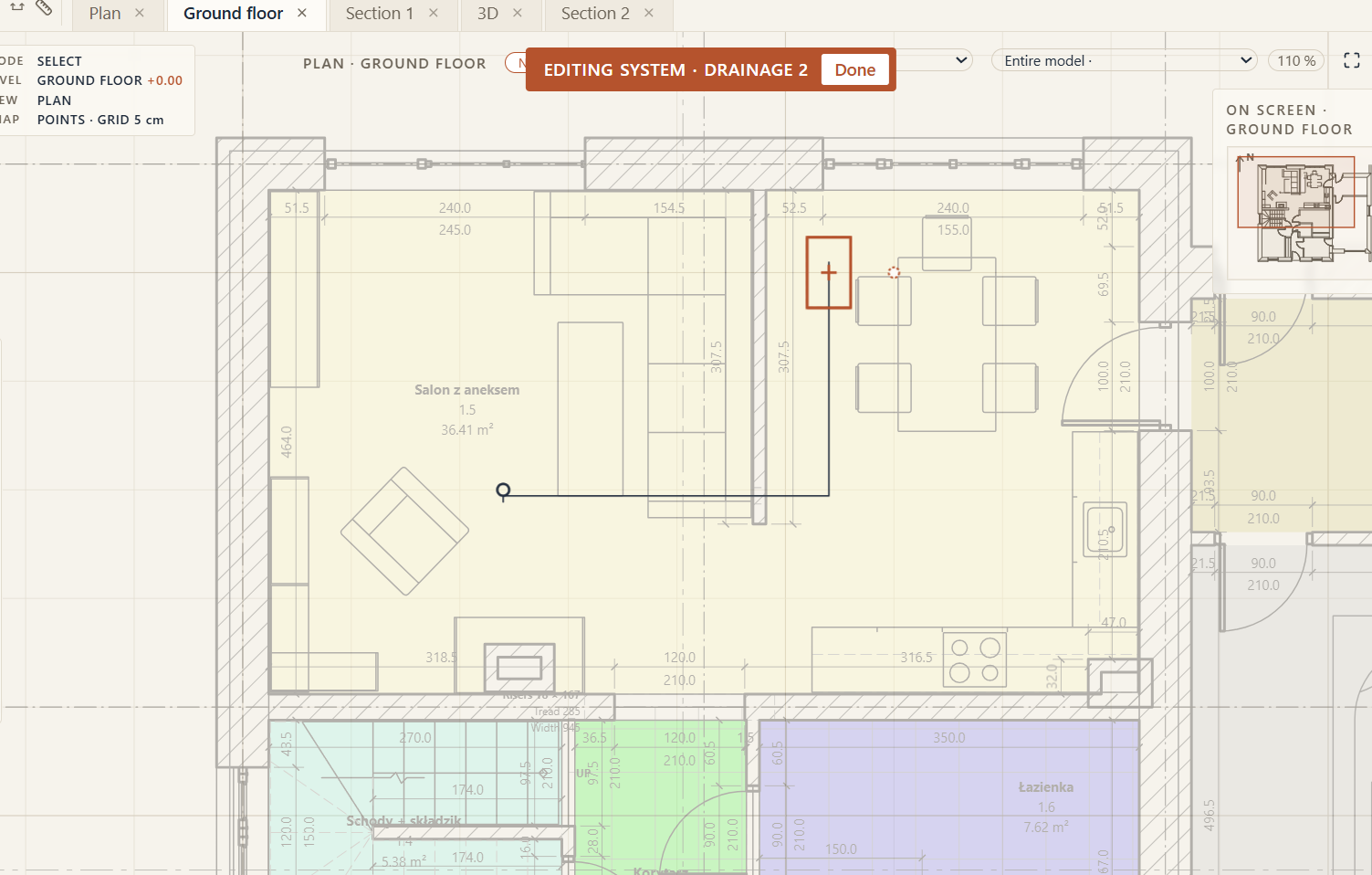
There we would be able to divide walls, floors and ceilings into sections and with a brush select and “paint them over” with pre-made selected finishes.
This is very important, as we would be able this way to apply finishes to the exterior of our building as well, which is currently missing if I’m correct?
This would also let us decorate our building with various finishes easily, by allowing us to draw area dividing shapes on fasades, floors, ceilings - a detailing powerhouse.
How it would help my work: Comprehensive, extensive way to create finishes for the whole building, letting me work at first with just the core, structural design of the building and then add finishes later, along with automated volume, areas calculations. This would speed up and simplify declaring of Wall types, floors, as we could only specify the core and layers that would everywhere be the same and the rest quickly apply with Finishes later.
How I do it today: Right now I just create a wall with finishes already there, which makes creating dimensions and proper drawing schemes very tiresome.