I found some issues, so I’m writing them here temporarily:
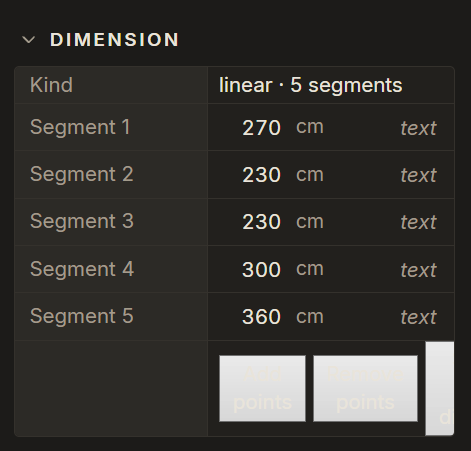
- In night mode some buttons have white backgrounds. Along with white text it makes them unreadable:
-
Selecting objects in drafting mode is very clunky, sometimes doesn’t select at all. Perhaps a new pick/selector cursor should appear, the secondary cursor that shows snapping should become invisible and the object hovered over should get highlighted?
-
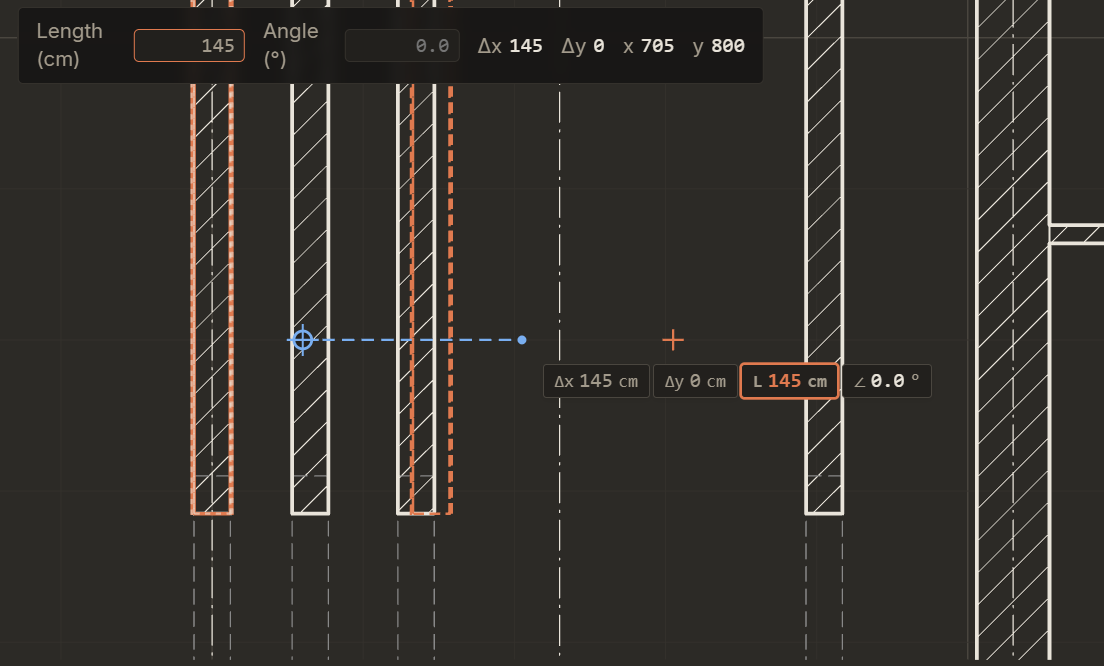
Currently only ENTER works as a valid command accept. Clicking LMB is quite unintuitive and buggy? For example here I’m copying wall, I’ve pressed the first point, then I’ve input a distance of 145 and pressing LMB will not place the wall 145cm in the direction chosen, but instead somewhere near the cursor. Clicked here a few times with cursor to show how it works.
- Opening settings are a bit unintuitive.
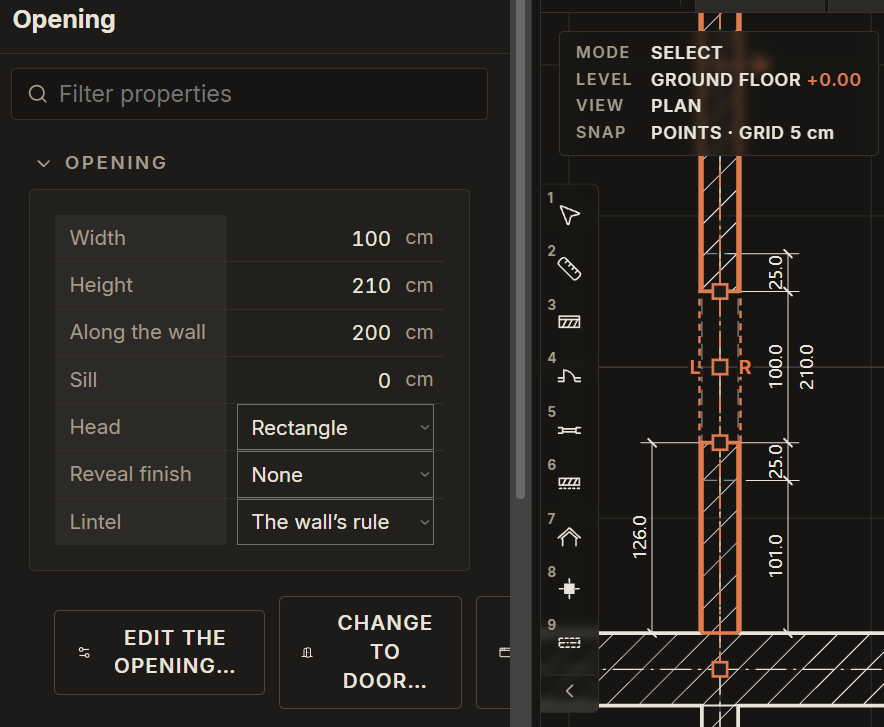
As we can see on the picture, the opening’s point of reference is the beginning of the wall inside another wall. Instead, if the point of reference could be set to the intersection of the walls’ core/finish layers, that’d be much more intuitive to use. Also, if we could choose the origin point of the opening to both its middle or side, that’d be awesome.
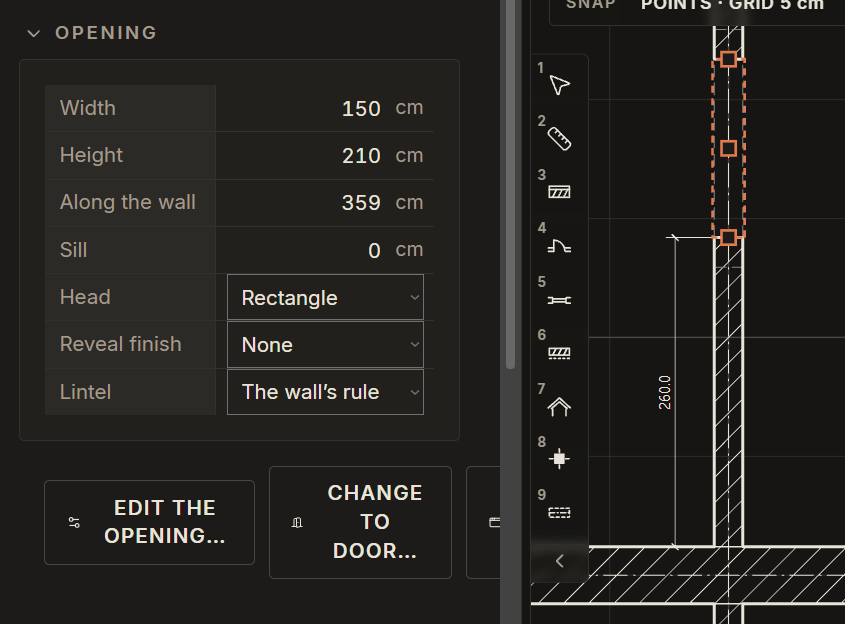
So for example here if I could just input 260 in “along the wall” and 150 for width to have such a result instead of having to calculate that in your mind, that’d be great:
- Snapping to grid doesn’t work when other snaps are active:
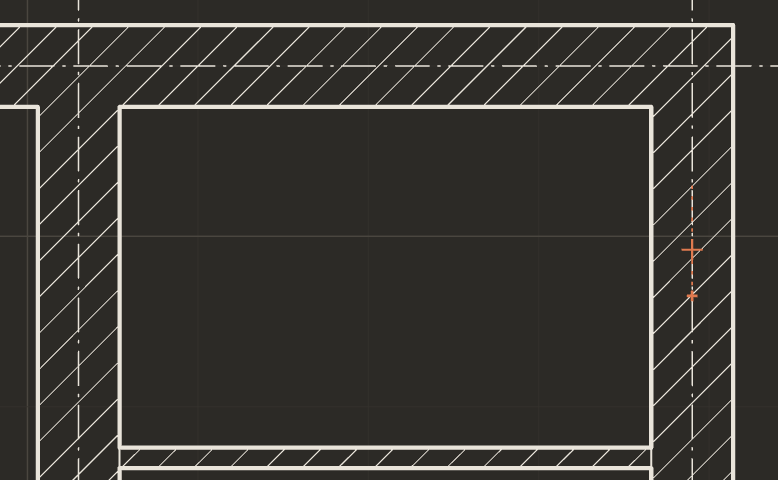
For example I want to place a new wall. I want to start in the middle of an existing one. Selecting an exact position is very difficult, because the cursor no longer snaps to the grid but allows placing the origin point with 0.01 X or Y accuracy. I have to start placing the wall a few cm away from it instead. Having to disable snap each time can be tedious, perhaps we could enable snapping to grid in one axis and snapping to a nearby object in another axis?
-
Line up the axes does not line up to the selected Axis. You need to select the “newest” one, which can be tricky if you added an axis between old ones and changed their number. Perhaps it should line them up to the selected one instead?
-
When selecting multiple objects, it should be impossible to unselect them all if you press on an empty space when holding SHIFT. As of right now one missclick forces you to select everything anew.
-
The is no way to AREA unselect. We can only unselect one by one when holding shift. Perhaps it could be changed? Hold shift to select, hold alt to deselect, or whatever key you deem fitting?
8.B) We should also be able to deselect everything by pressing ESC
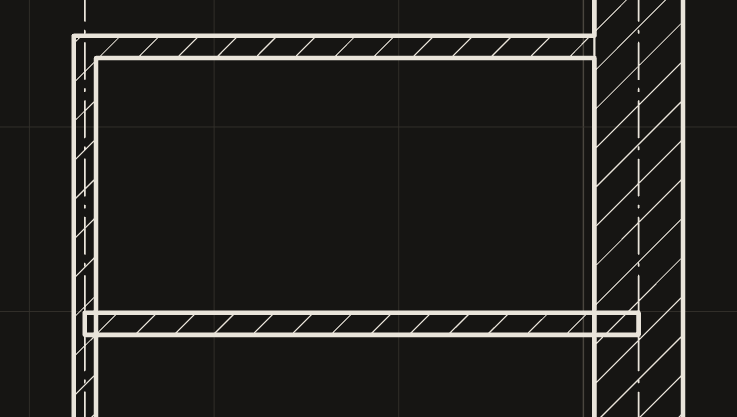
- After copying a wall in a situation like this, its connections do not update automatically:
That’d be all for now, cheers.