Maybe I didn’t find the tool to make copy array - but looks like there is no one. I need to copy similar component tens of times and “copy array” would be convinient.
I select the component I want to copy
I set the distance between components (like 100mm)
How many copies I need
4a) copy in the selected direction OR
4b) copy along the path (can be a line or curve)
***
Grid copy is very similar, where you define a number of columns & rows and how many you need to have. Maybe it could be combined with this basic capy array tool.
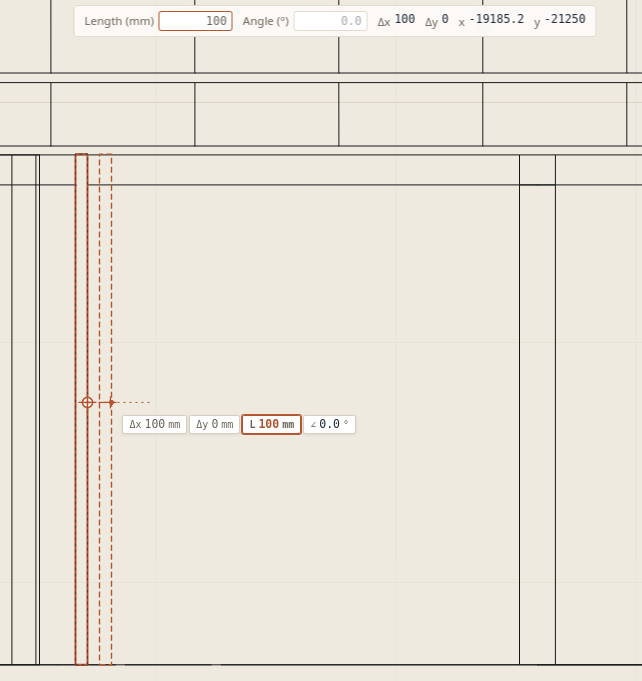
Below is a picture where I want to copy that single box alongside the x-axis.
This is an automated reply, approved by Ionut. Thanks Petri! Lapin already has this under Modify → Array (also Studio → Array): select an element or a group, then choose In a row (a step along x, y, z and the number of copies), Round a centre, or Along a path (click a line, polyline, arc, wall or road; copies by count or by spacing, with an offset and start and end distances). The array stays editable: select any copy, and the Array section in Properties changes the count or spacing; the copies keep their identity.
Following your post, the next update adds:
In a grid: columns × rows (and levels if you want), each with its own step, changed later from the Array section.
Step given by → Clicking two points in a plan: click a first point, then a second one for the direction and spacing, or type the distance (e.g. 100 mm) and it goes along the pointer’s direction. For a grid, a third point gives the step between rows. The copies are previewed live as you move the mouse.
The user guide’s Arrays section (Groups and components) explains both.
Ok, i found the tool at “Studio/modify” and it seem to work in 3D objects. What I did, I draw a rectangle in draft mode and tried to use the “Array”-command. Nothing happens.
Is the array limited for some specific components?
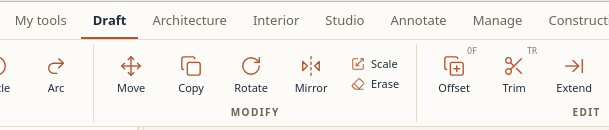
I can’t find the Aray tool at “draft”-modify panel (see the screenshot)
Ok, wait for that then.
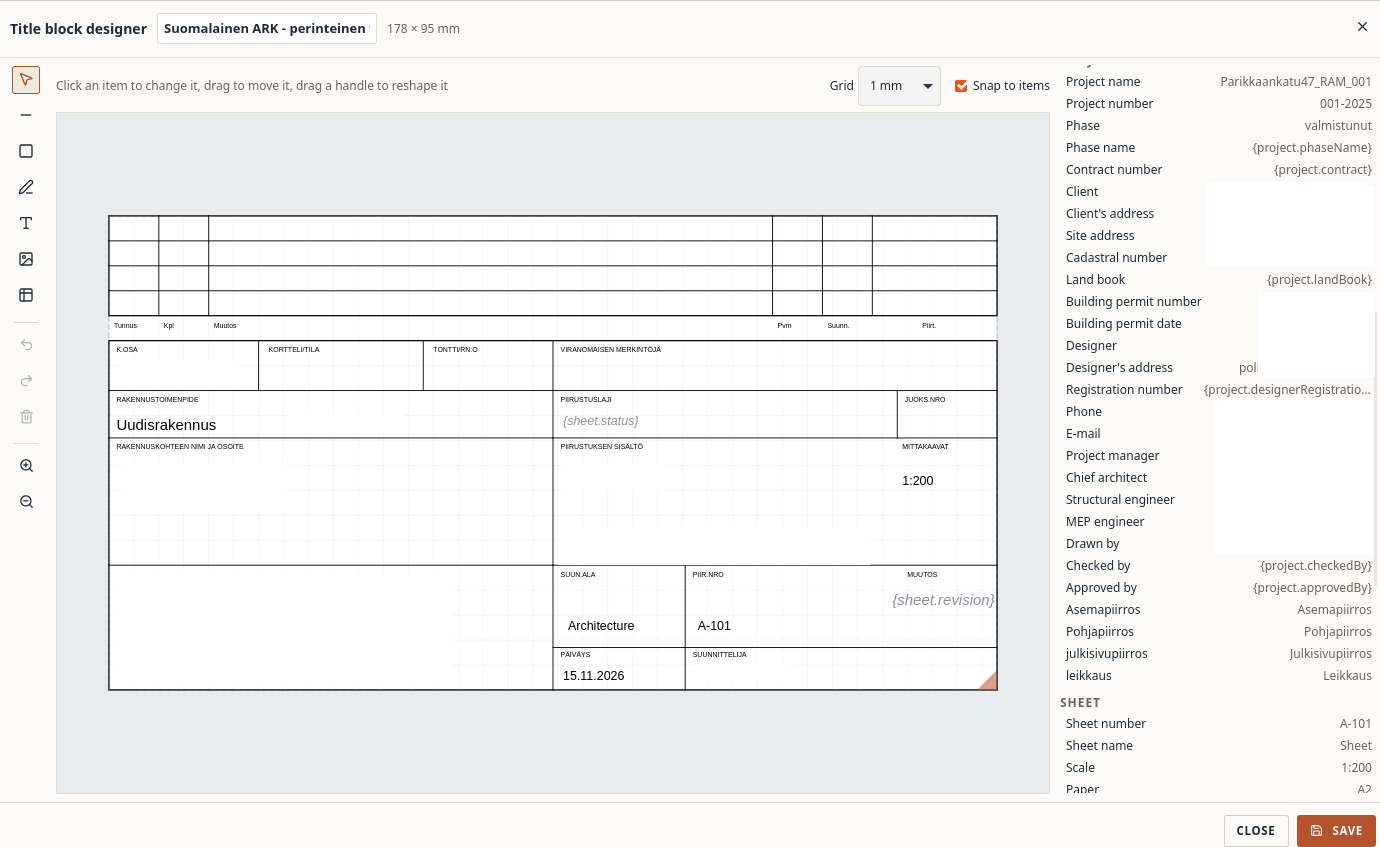
i have been looking at Finnish Title Block and made a first version on my own. However, some information which supposed to fill from the project information, doesn’t refer to the Drawing sheet.
Image of the Finnish title block is attached - texts in the image are topics I should add - hopefully as automatically as possible.
Great, the Array tool seems to work well, at least in its simplest mode: creating a row of copies.
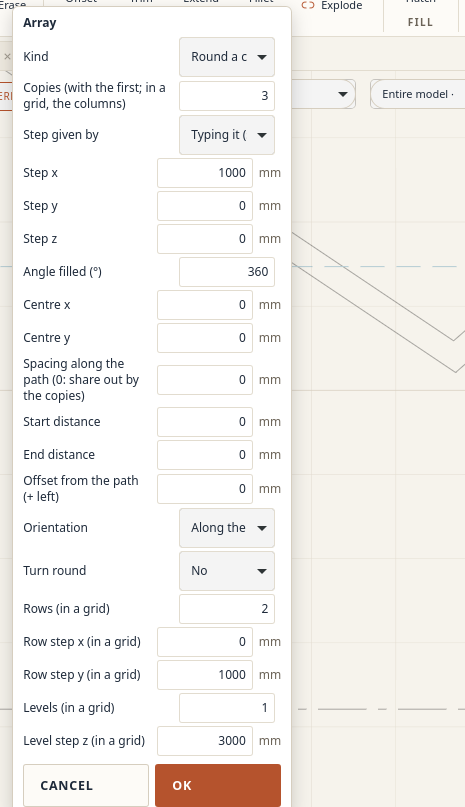
However, I found the “Around the centre” method difficult to use. Every attempt produced the message “An array step cannot be nothing.” What does “array step” mean here? It is not clear which parameter I need to change.
The dialog currently shows parameters for all array methods, including settings that do not appear relevant to the selected method. This makes it difficult to identify the required inputs.
Suggestion: update the dialog when the method changes, showing only the parameters relevant to that method. The error message should also identify the specific field that needs attention.